

X visibility restrictions: check the label and appeal
Find the affected posts, distinguish historical labels from current restrictions, and follow the appeal route X provides.
X can limit a post or an account in several ways. Under the Hood lists a selection of labels present during a past month. It is useful evidence, but it is not a complete test of your current visibility.
In 30 seconds
- 1Open your monthly report on X.
- 2Read the label and the current post notice.
- 3Use the appeal route X provides, if any.
Find the posts behind each label
X can limit a post or an account in several ways. Under the Hood lists a selection of labels present during a past month. It is useful evidence, but it is not a complete test of your current visibility.
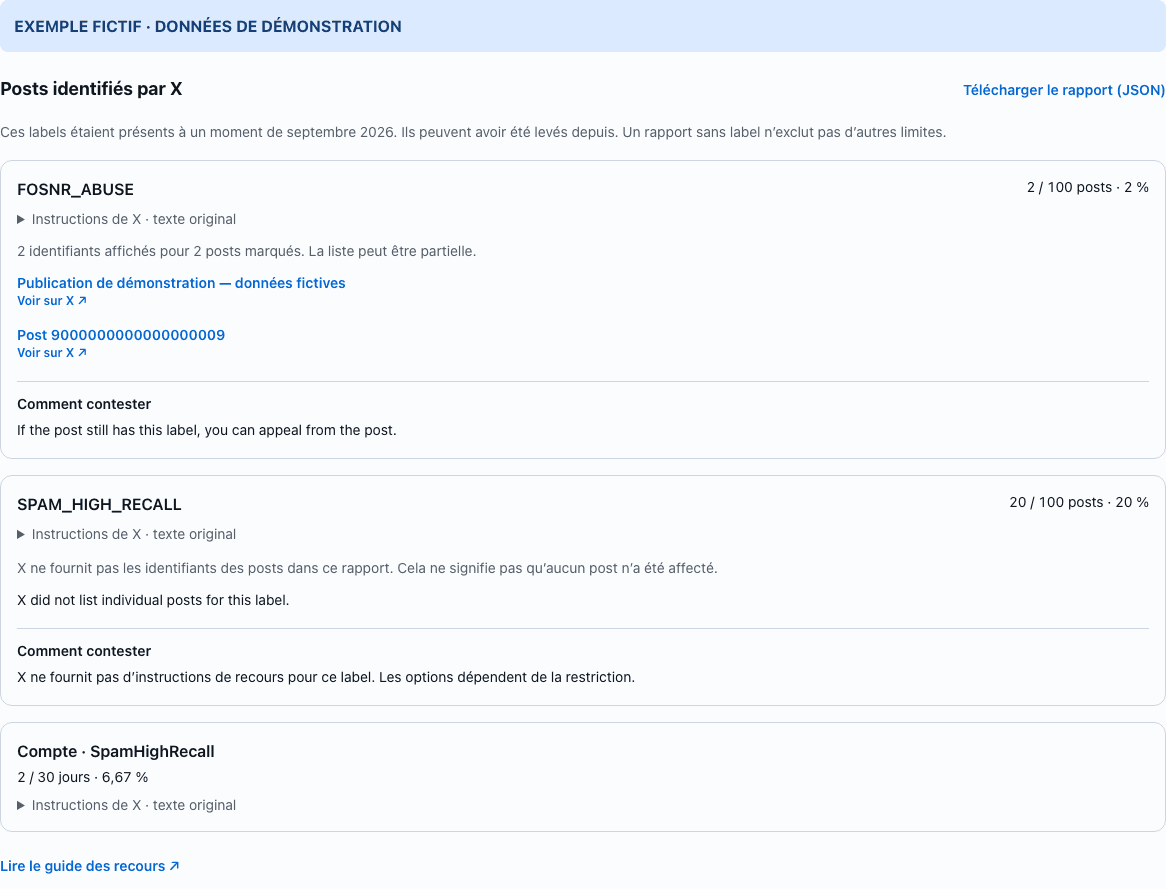
Since 30 October 2026, X can list the affected post IDs. The announcement mentions fewer than 5% of the month’s posts per label; the public code also has configurable exceptions and a limit on the number listed. Use the links and any explanation X supplies. A missing or partial list does not cancel the label count. The same post can have several labels, so do not add their counts to obtain a unique total.
Choose the route for your restriction
Open the post and read its current notice first. Some visibility labels allow an appeal from the notice while the label is still present. If X provides how-to-appeal instructions, follow those. A spam label may have no appeal route in this report. For an account lock or suspension, use the account notice and X’s account recovery process. For a legal withholding, use the enforcement email or the country-specific route supplied by X. There is no single form that removes every kind of restriction.
Prepare a clear request
Keep the post URL, exact label, report month and a screenshot of the current notice. Explain briefly what the post contains and why you think the decision is wrong. Do not delete evidence simply to make the report look clean. Never give a password or session cookie to a service promising to remove a shadowban. XFeed opens the official route; it does not submit an appeal for you.
Follow up without a removal promise
Check the response and the current post notice. The monthly report keeps labels that were present at any point in its period, including labels later lifted. A new report is not a live appeal tracker. X gives no universal duration for every restriction, and lower views alone do not prove one. If the account notice asks for a security challenge or password reset, complete it on X before checking again.
Official sources
Frequently asked questions
- How long until a shadowban is removed?
- There is no universal verified deadline. Follow X’s notice and response; a monthly report cannot establish today’s restriction status.
- Does an empty report prove I have no restriction?
- No. It means none of the labels included in that report were reported for that period. Ranking, search filters, experiments and later decisions can still affect visibility.
No account. No card. 14 days with every feature
Try XFeed on your own timeline
Related guides